Engineered for Shopify
Take full control of your Shopify store and customer support with Reacho, the free marketing and support platform built for eCommerce.
41%
Reduction in Ticket Volume
100%
Saving in Support Software Cost

What You Can Do with Shopify + Reacho
- Access Customer Profiles Instantly
View customer profiles, order histories, and purchase details in one place.
- Process Orders Efficiently
Handle refunds, restock requests, and cancellations without switching platforms.
- Automate Repetitive Tasks
Use Macros and workflows to resolve common questions faster and improve customer satisfaction.
- Unify Conversations
Manage emails, chats, and social messages from all your stores in one place for effortless communication.
- Organize Tickets Effectively
Filter and prioritize tickets by team, channel, or status for better control and faster resolutions.
- Provide Real-Time Support
Add live chat widgets to your stores to deliver instant answers and boost customer engagement.
- Customize Workflows
Modify order statuses and processes like refunds or cancellations to suit your business needs.
Steps
To connect your Shopify account to Reacho, follow these steps:
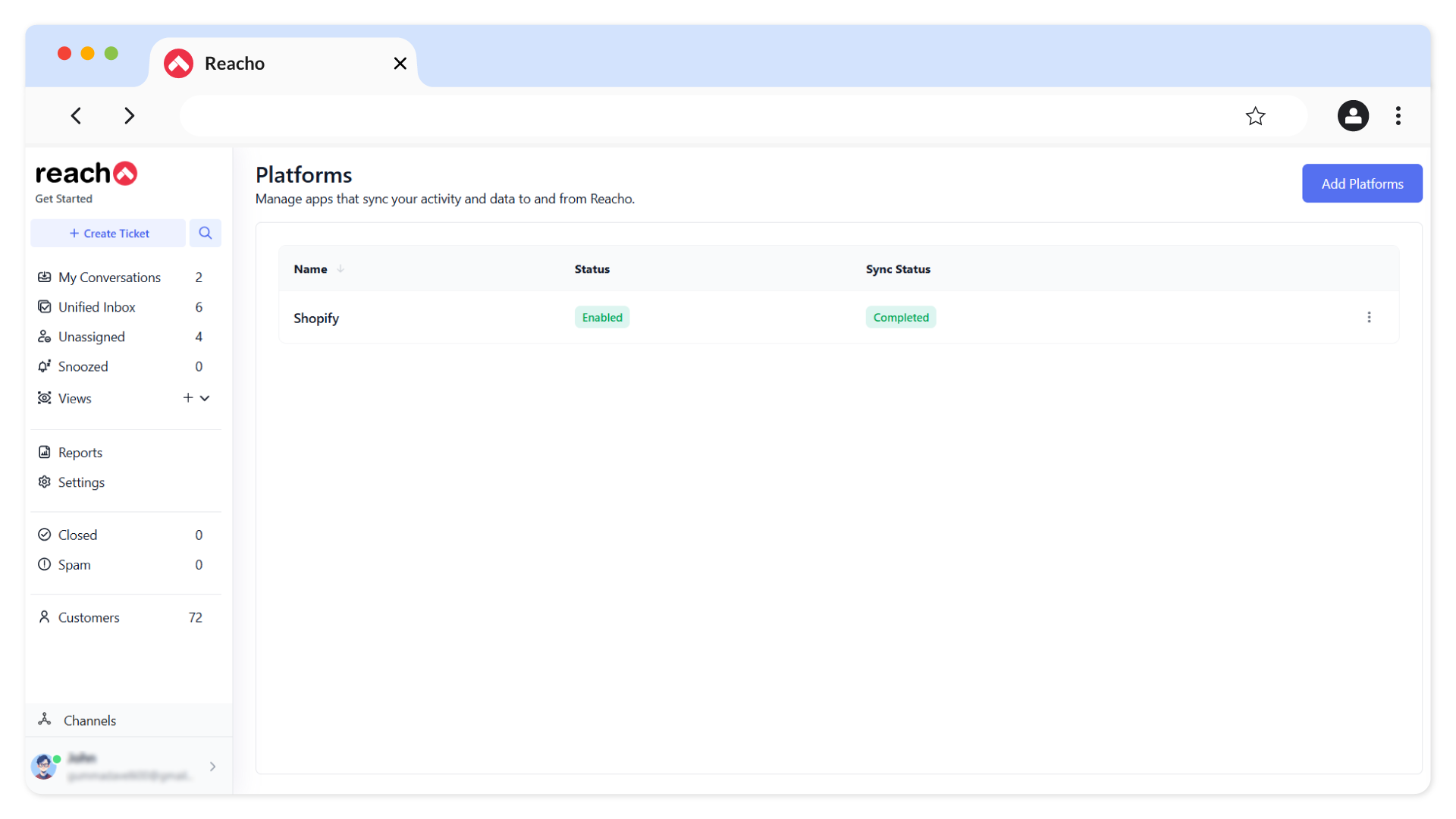
1. Log in to Reacho go to Platforms and click Add Platforms.
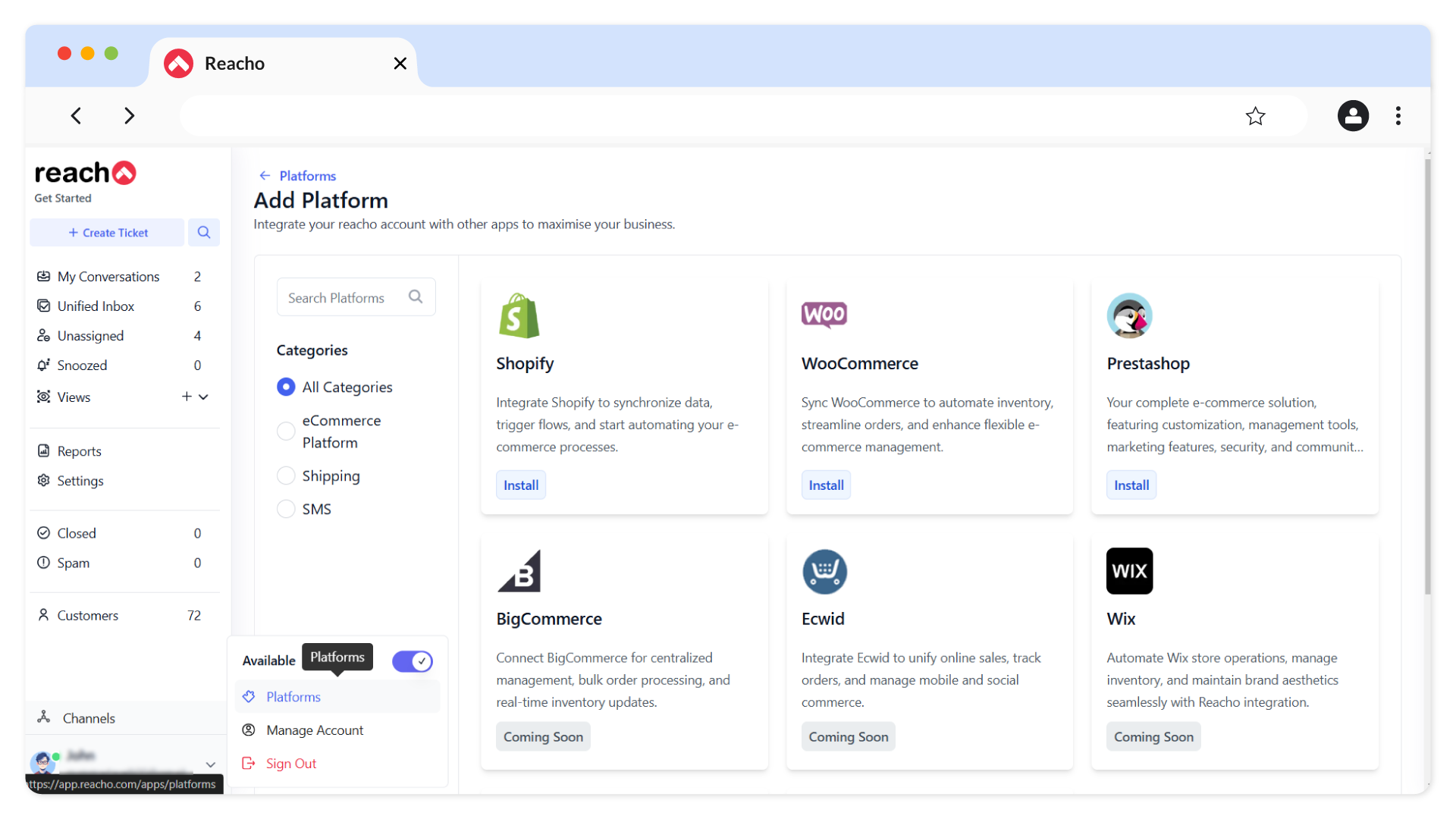
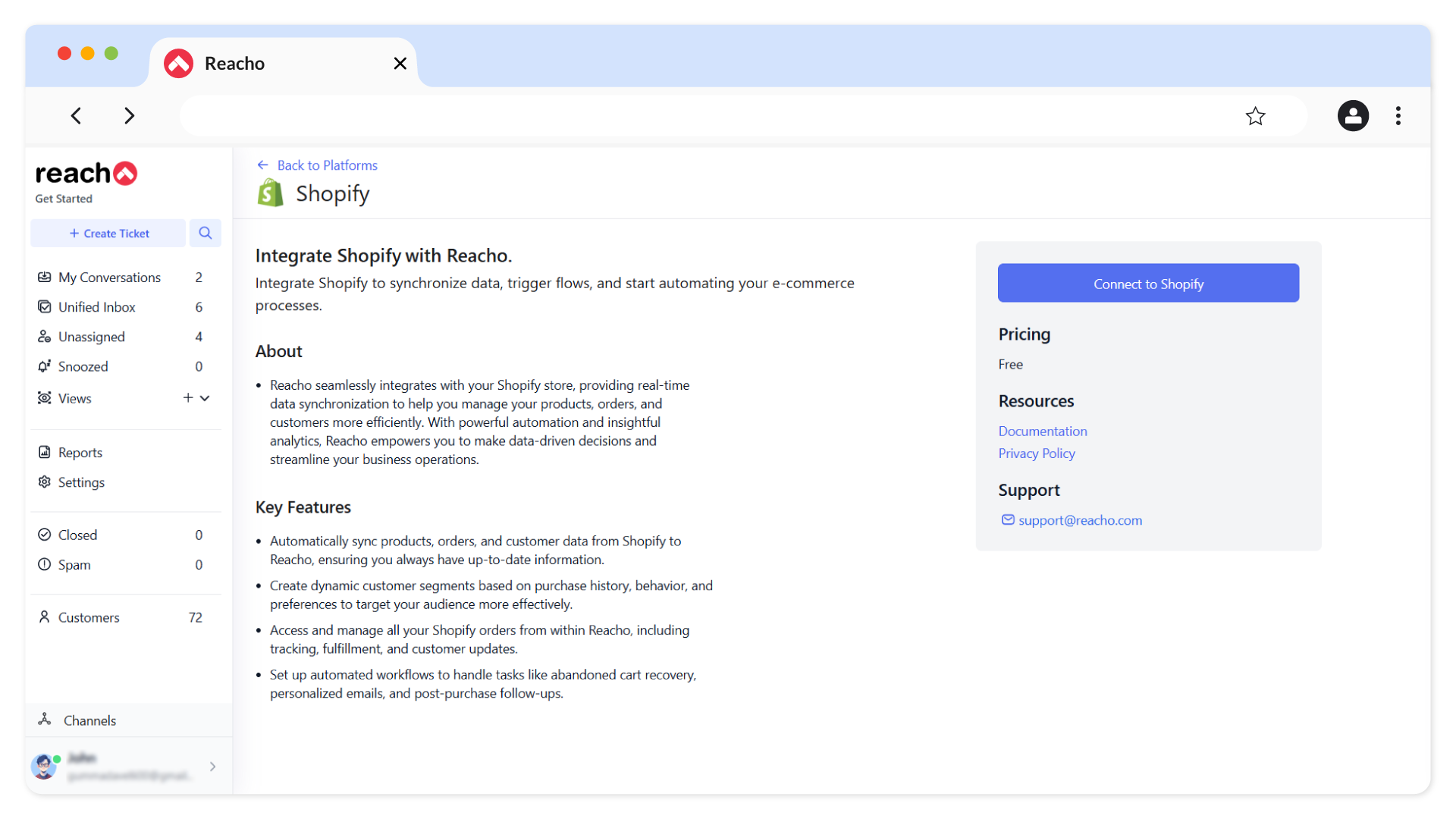
2. Install Shopify and click on the Connect to Shopify button.
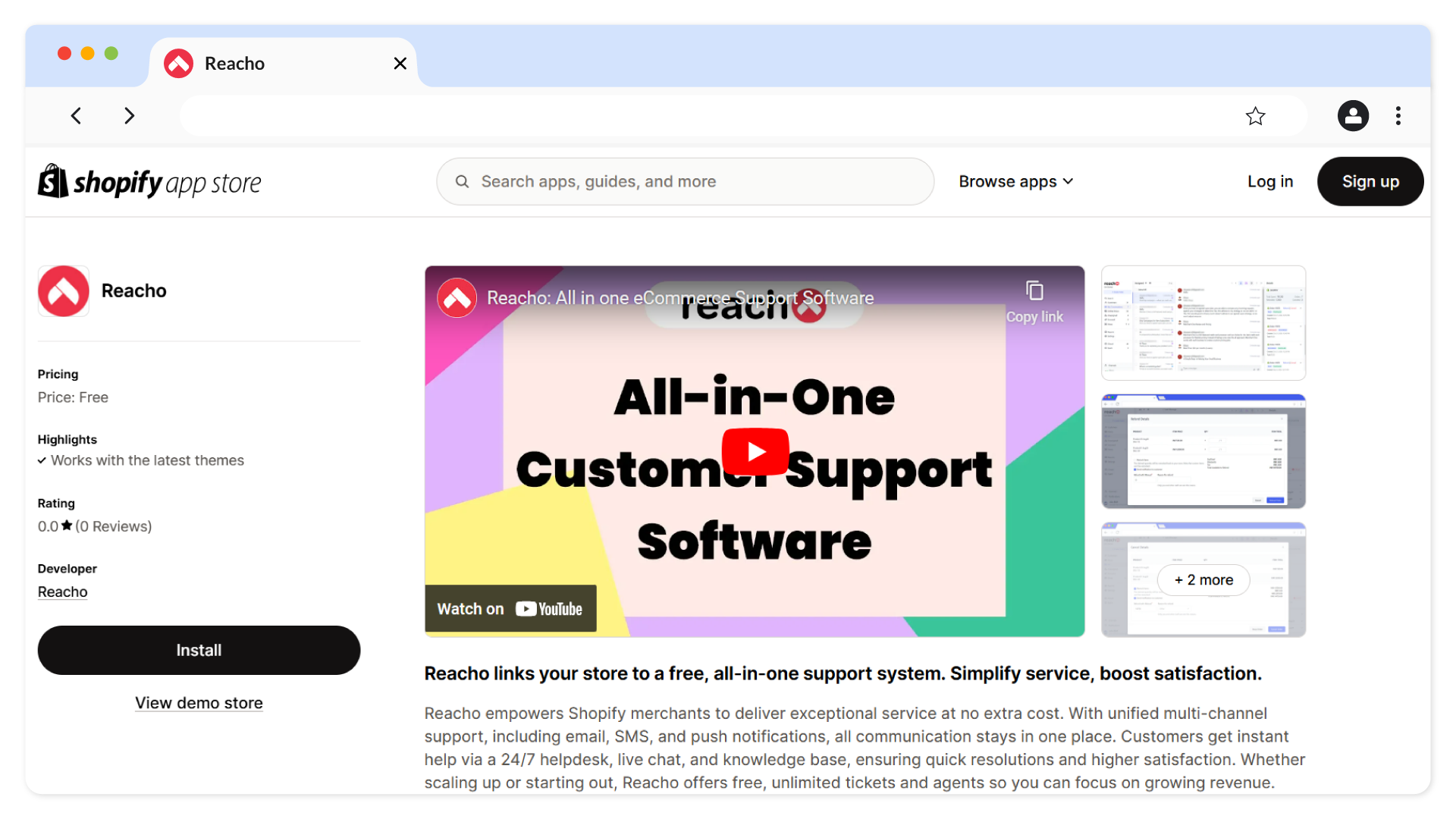
3. You’ll be redirected to the Shopify App Store. Log in to your Shopify account and install Reacho.
4. After installation, you will be redirected to the following screen:
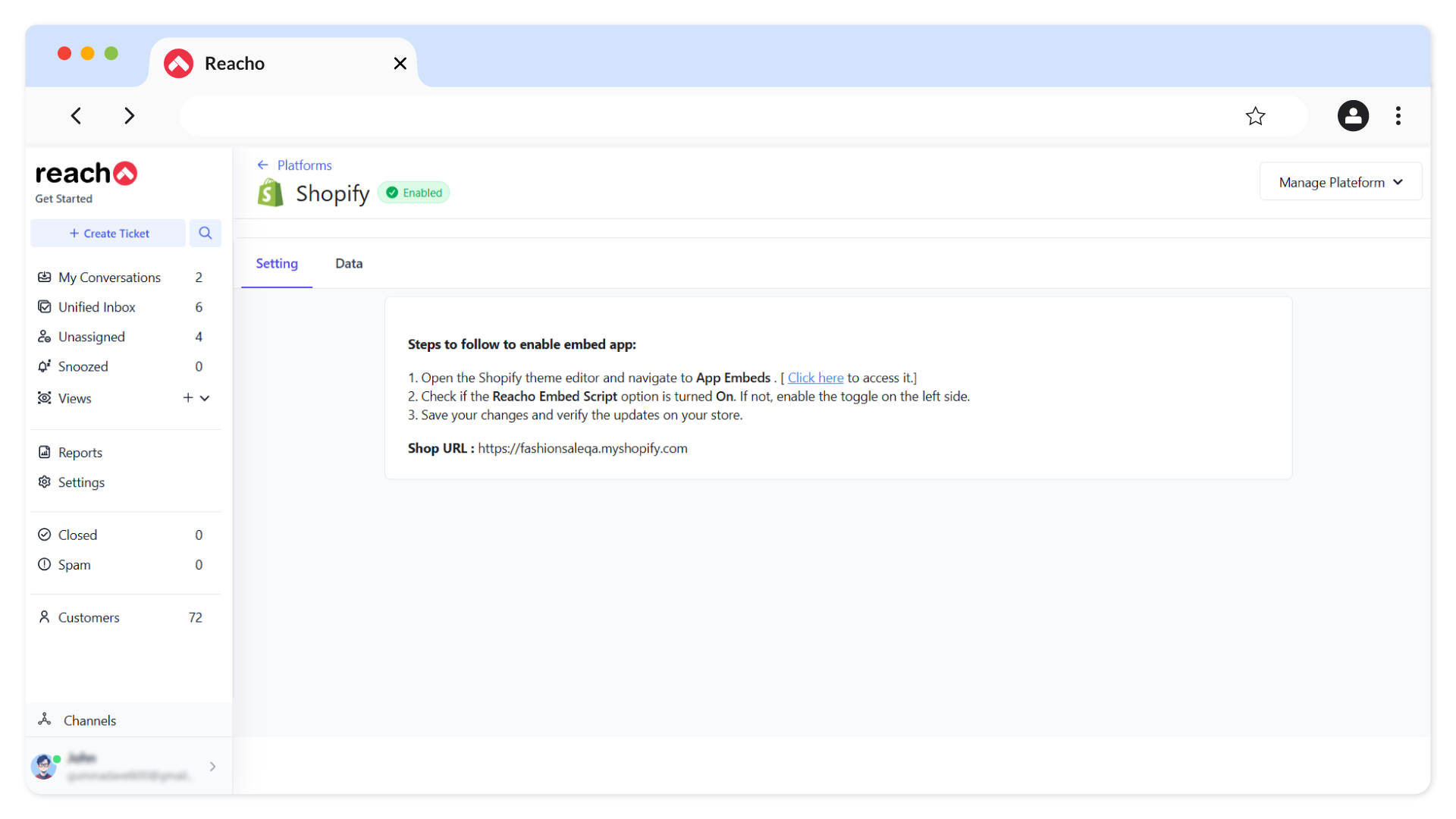
5. Return to the Platforms screen, where Shopify will be listed as enabled and synced successfully with Reacho.
Chat Integration
1. In Reacho, Go to Channels → Chat Section in Reacho.
2.Configure the chat widget using the following tabs:
- Appearance: Customize how your widget looks.
- Preferences: Adjust settings like notifications.
- Installation: Add the chat widget code to your Shopify store.
3. Save your changes.
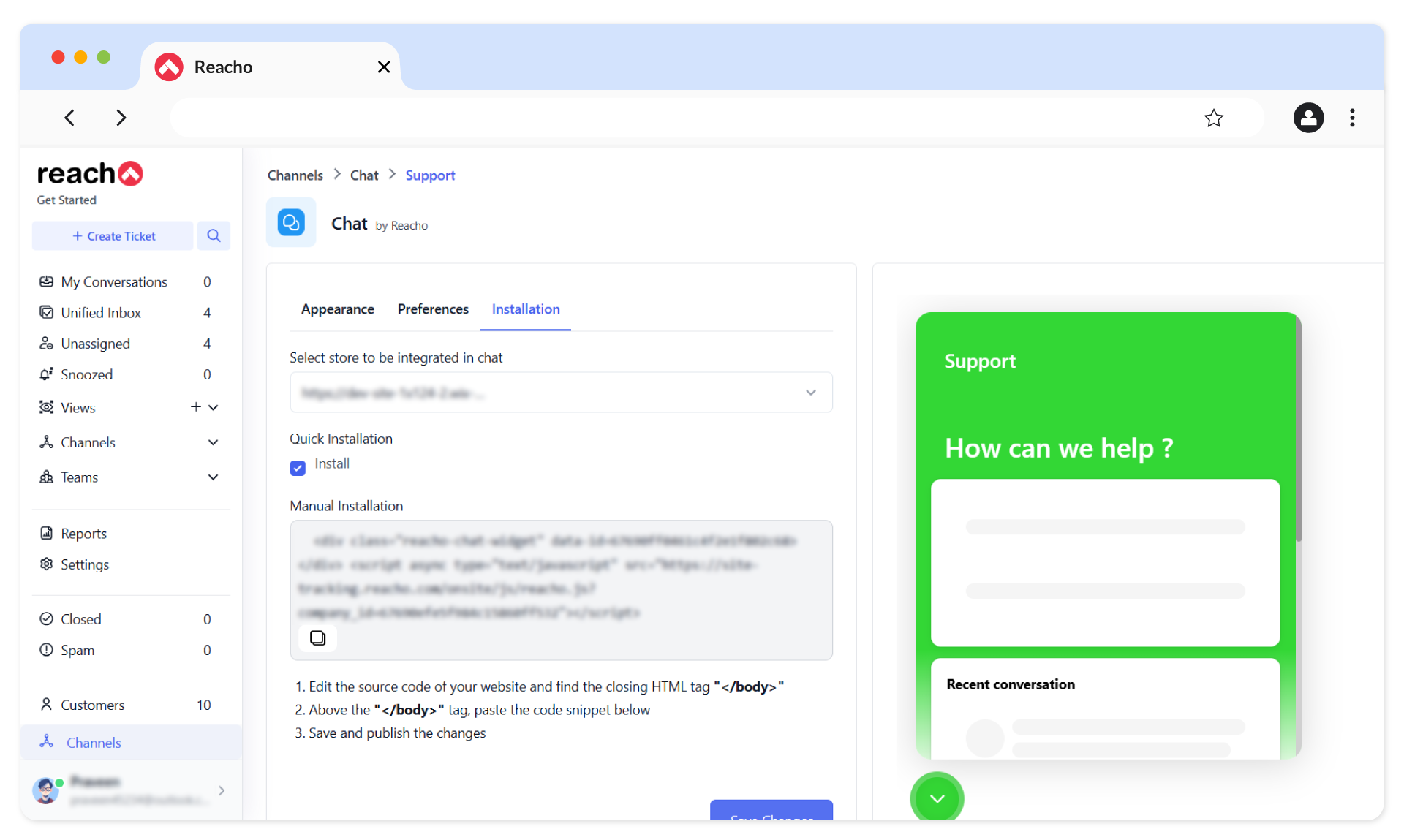
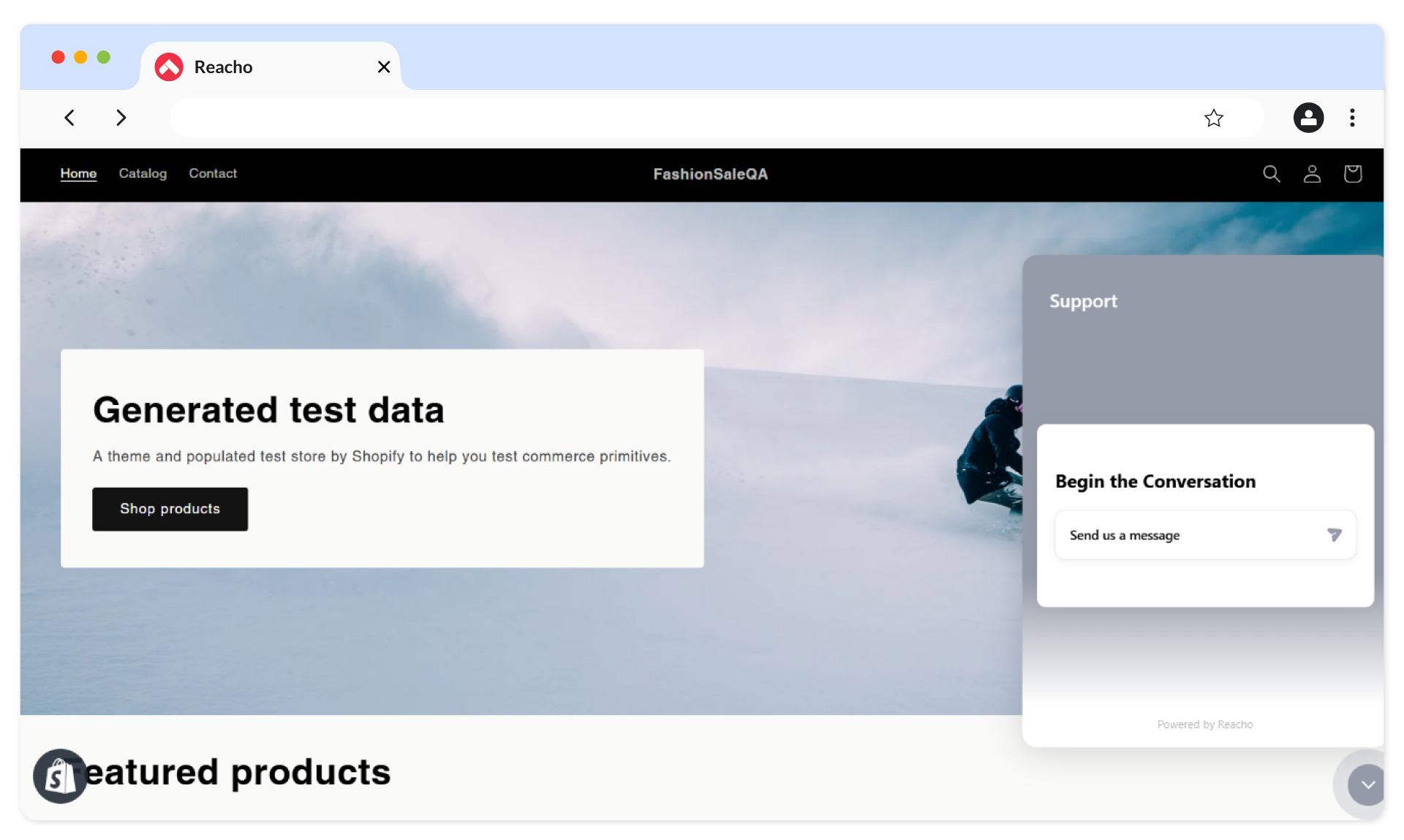
4. The chat widget will now be live on your Shopify store.
Syncing Customer Contacts and Order History
Once set up, customer contacts and order history from Shopify will sync automatically with Reacho, making order management and customer support easier.
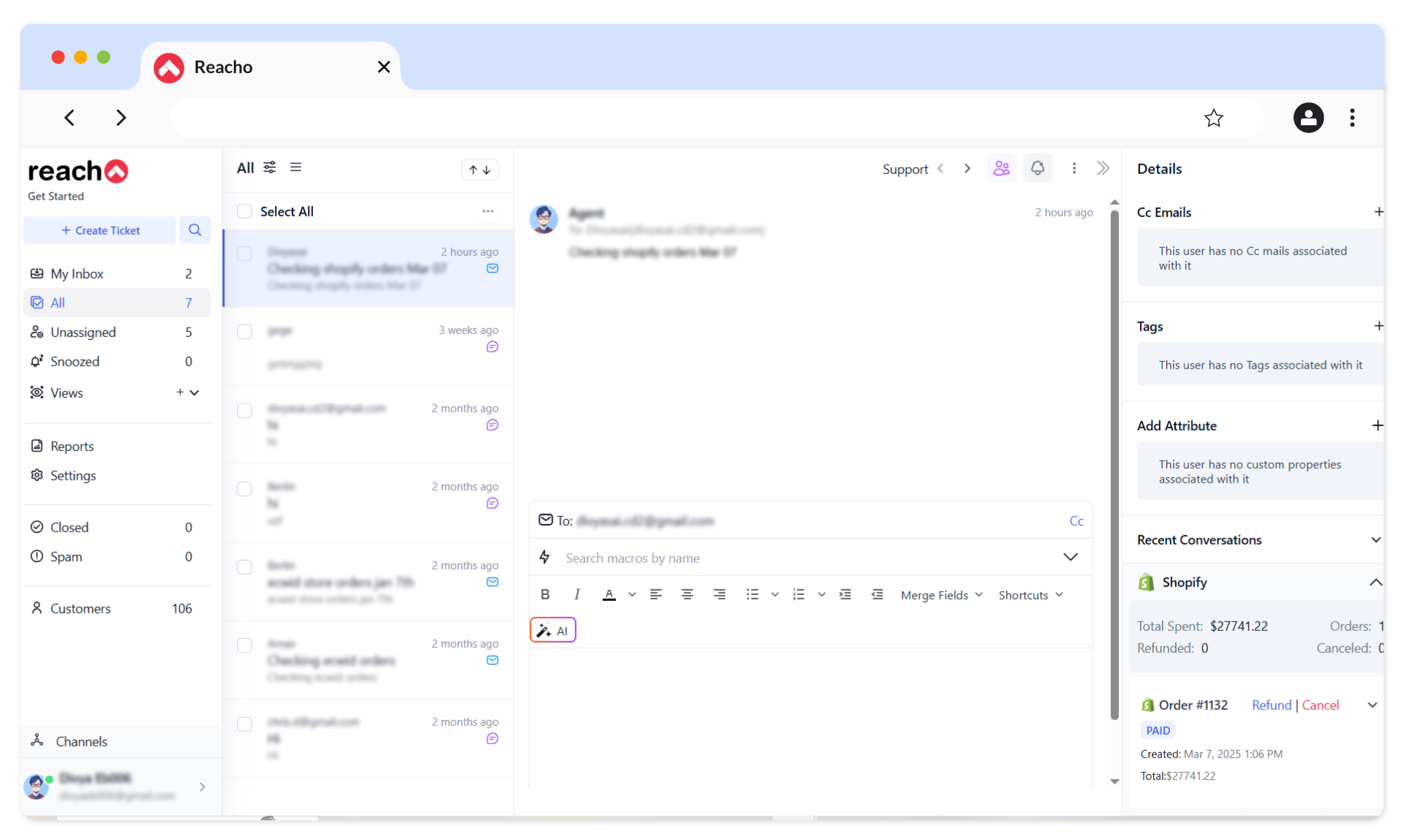
Order Management Actions
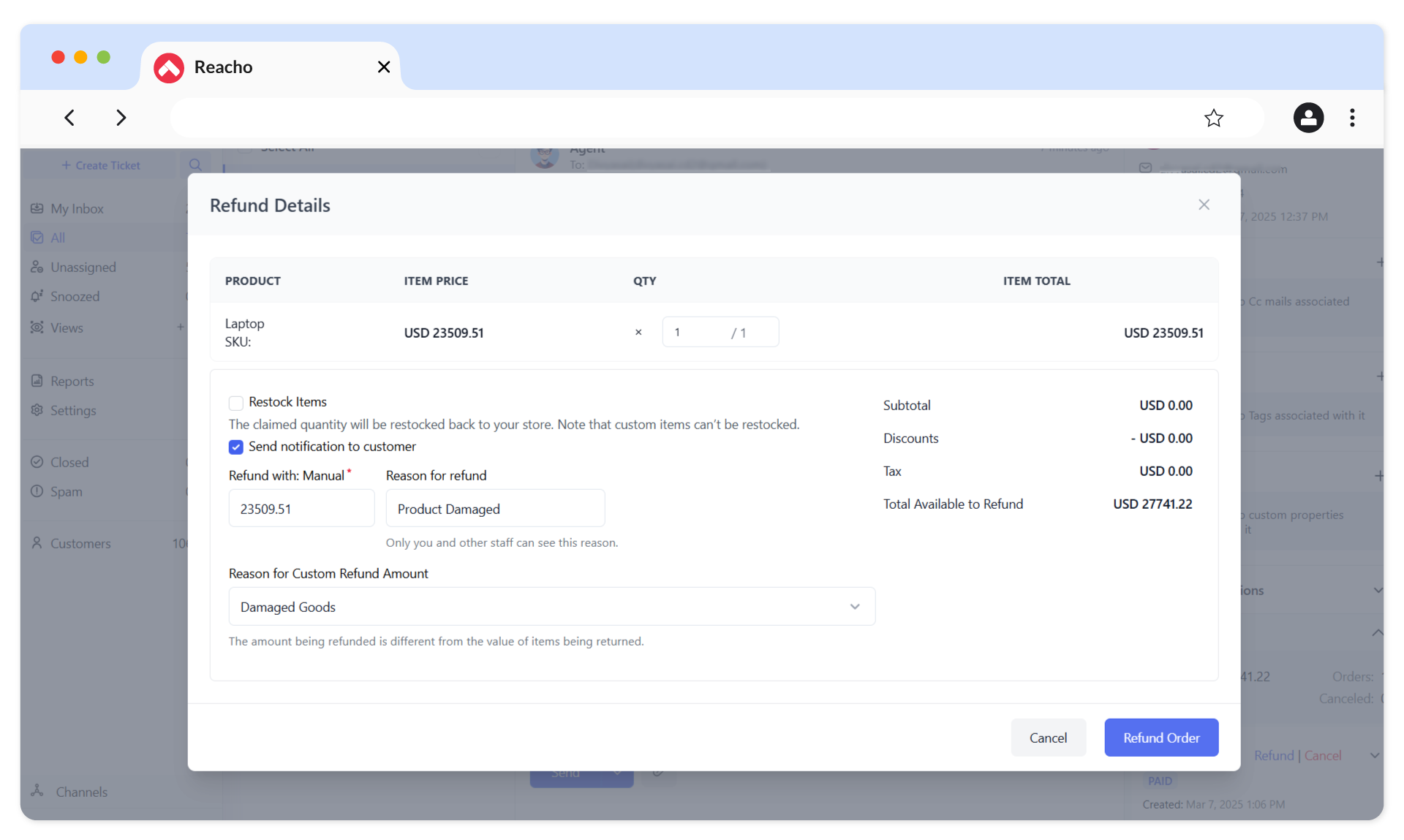
1. Refund Order
To process a refund, click on the Refund button, enter the quantity in the QTY field, and click on the Refund Order button.
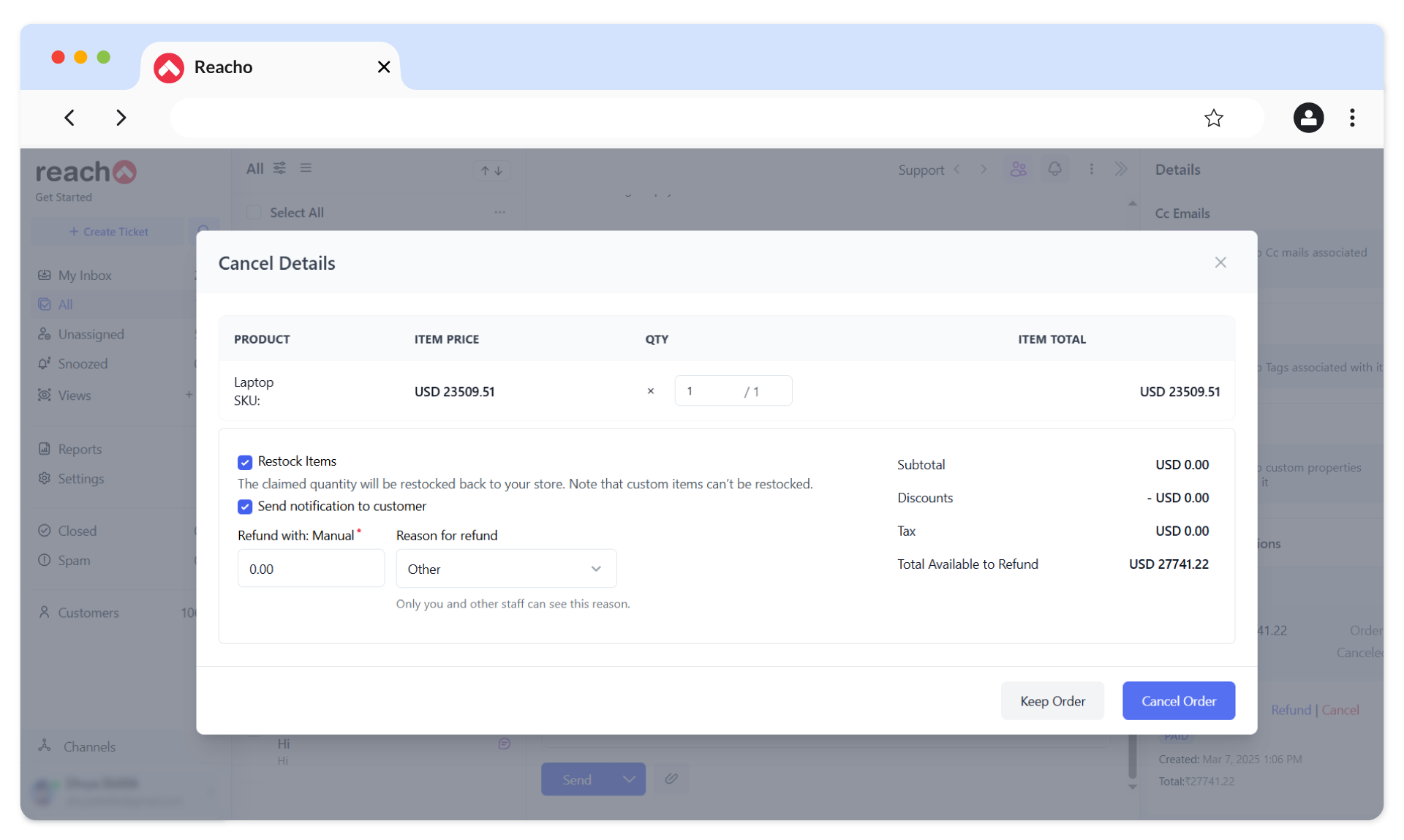
2. Cancel Order
To cancel an order, click on the Cancel button, enter the quantity in the QTY field, and click on the Cancel Order button.
Free migration, free setup.
Don’t worry about moving from any other platform. We’ll take care of it for you.