Built for BigCommerce Brilliance
Take charge of your store and customer support with a fast, simple, and stress-free solution from Reacho.
41%
Reduction in Ticket Volume
100%
Saving in Support Software Cost

What You Can Do with BigCommerce + Reacho
- View Customer and Order Details at a Glanc
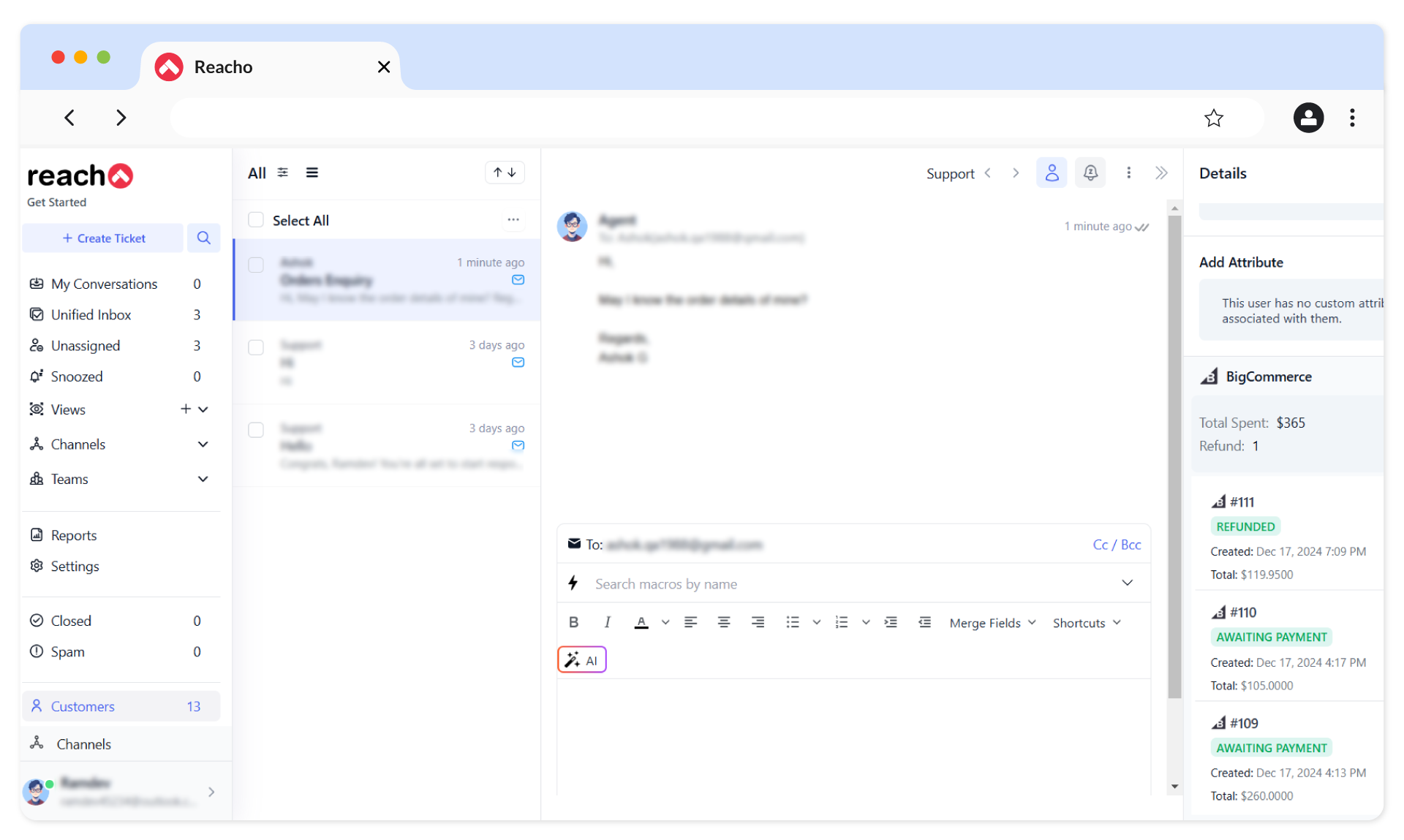
Access customer profiles and order histories directly in your tickets. Save time by having all critical information at your fingertips for faster resolutions.
- Update Order Statuses Effortlessly
Customize and modify order statuses to align with your business processes. Keep your customers informed and satisfied with timely updates.
- Deliver Real-Time Support with Chat Widgets
Configure a chat widget for instant assistance. Enhance customer satisfaction by resolving queries on the spot.
- Sync Customer Data Automatically
Let Reacho handle syncing customer contacts, purchase histories, and order details. Focus on growing your business instead of manual data entry.
- Prioritize Tasks with Advanced Filters
Organize your support workflow using filters for tasks, ticket statuses, and channels. Work smarter by focusing on what matters most.
Steps
To connect your BigCommerce account to Reacho, follow these steps:
1. Log in to Reacho, go to Platforms and install BigCommerce.
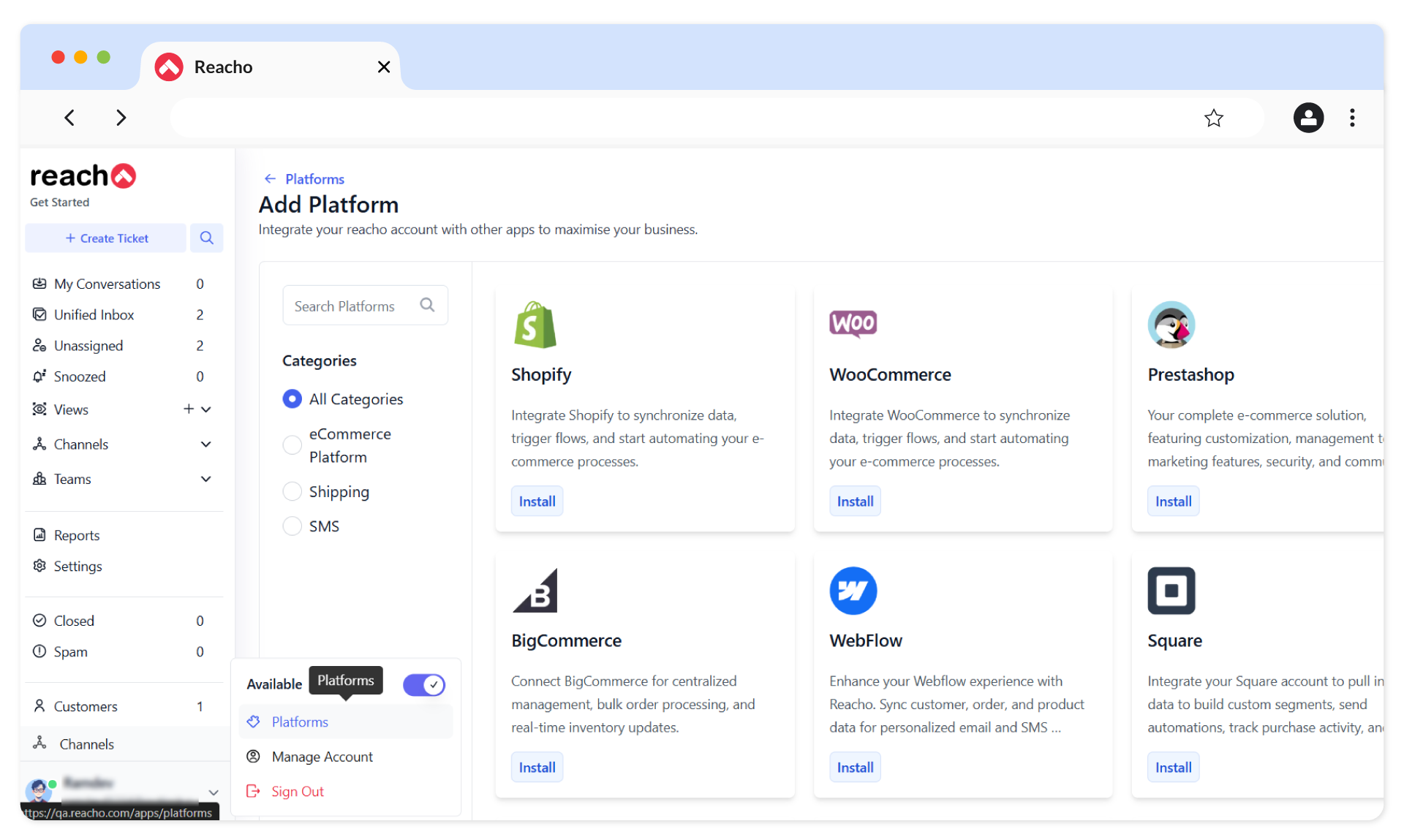
2. Click on the Connect to BigCommerce button.
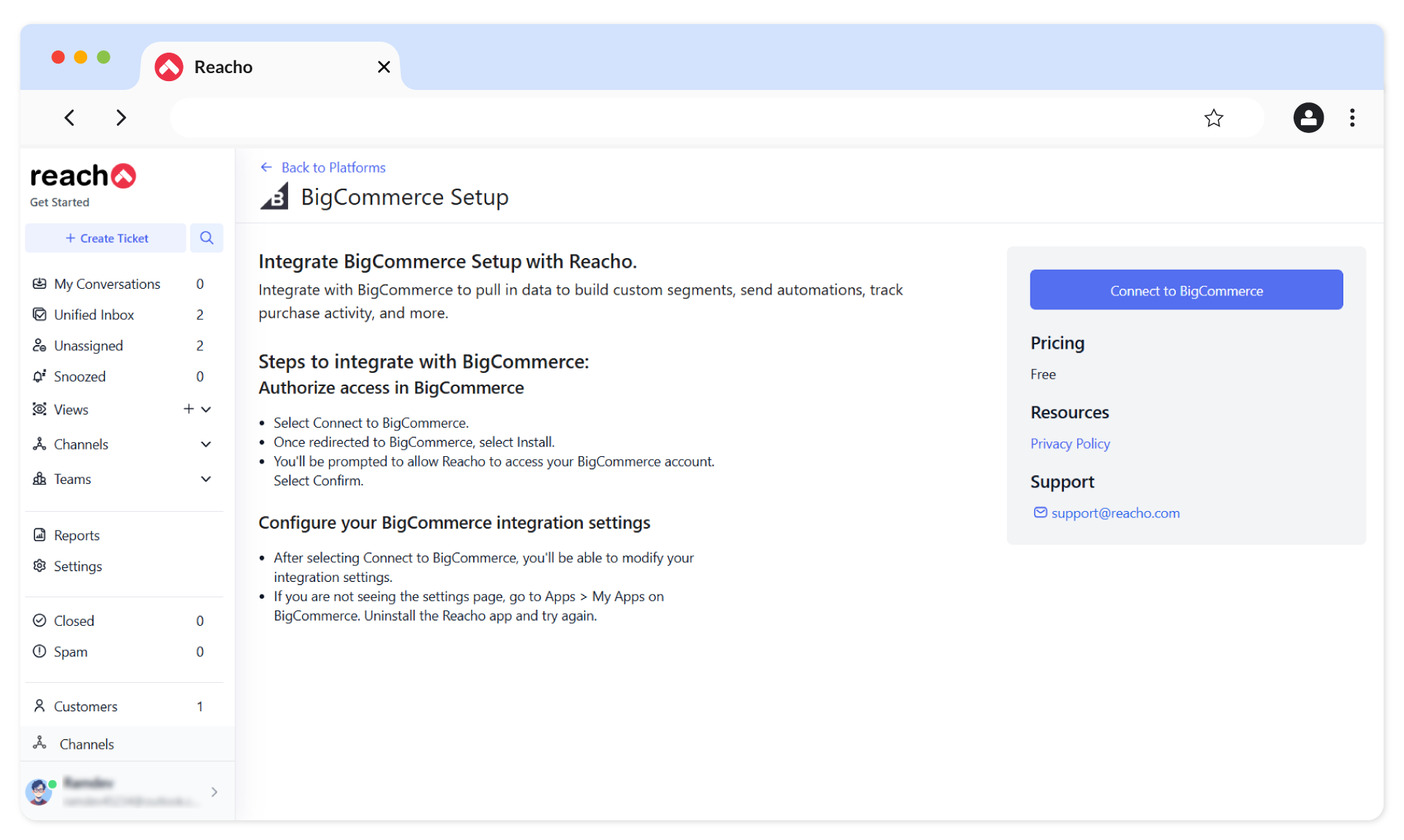
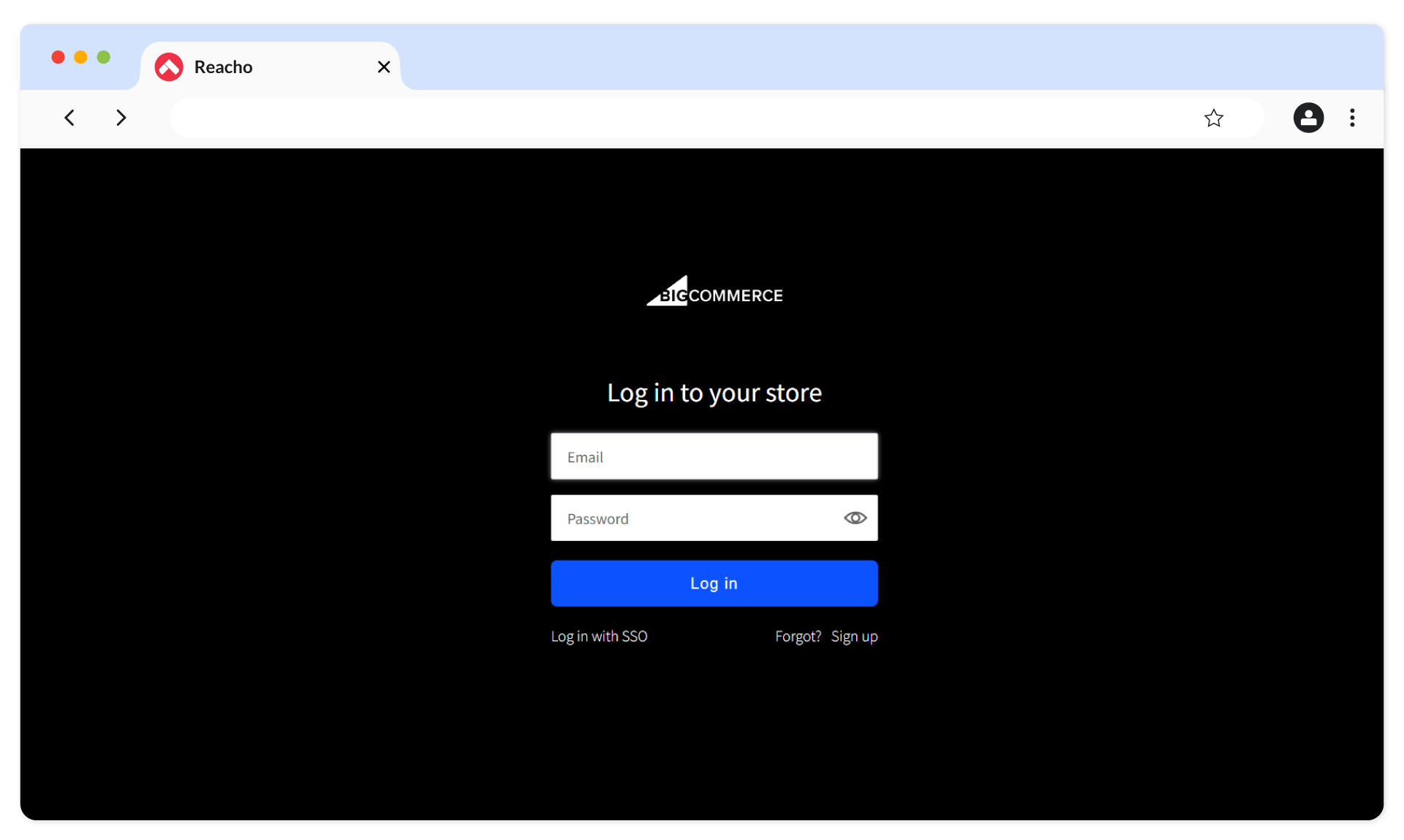
3. You’ll be redirected to the BigCommerce login screen. Log in to your BigCommerce account.
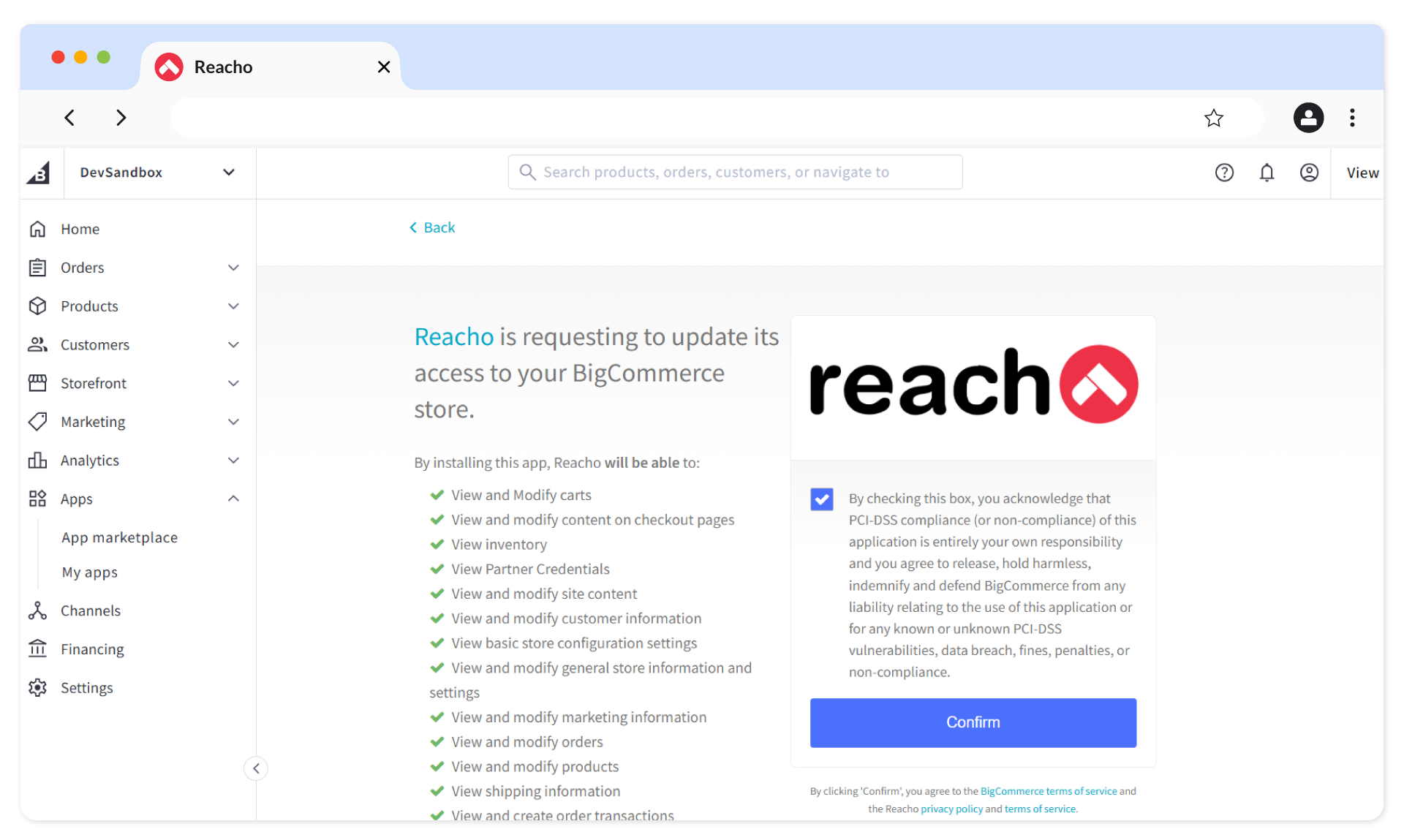
4. After logging in, you’ll be redirected to the App Marketplace tab. Install Reacho from the App Marketplace.

5. Acknowledge the PCI-DSS compliance and click on Confirm.
6. If you haven’t already logged in to Reacho, you’ll be prompted to log in at this step.

7. Once logged in, you’ll be redirected to the following screen. Click on Complete Setup to finish the BigCommerce integration.

8. The following confirmation will be shown after completing the previous step.

9. Return to the Platforms screen, where BigCommerce will be listed as enabled and synced successfully with Reacho.

Chat Integration
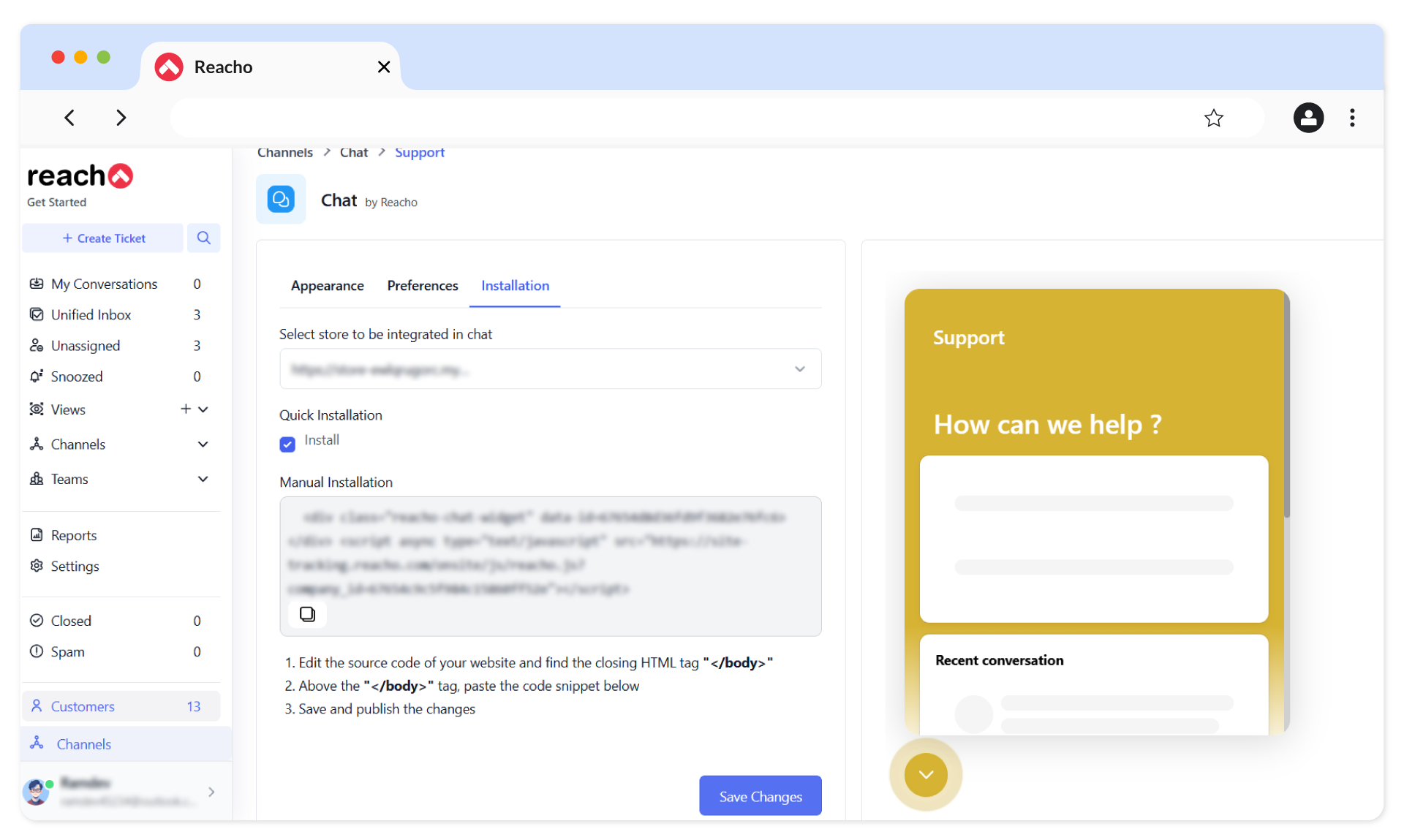
1. Go to Channels → Chat Section.
2. Click on Add Chat.
3. Configure the chat widget in the Appearance, Preferences, and Installation tabs.
- Appearance: Customize how your widget looks.
- Preferences: Adjust settings like notifications.
- Installation: Add the chat widget code to your BigCommerce store.
4. Save the changes.
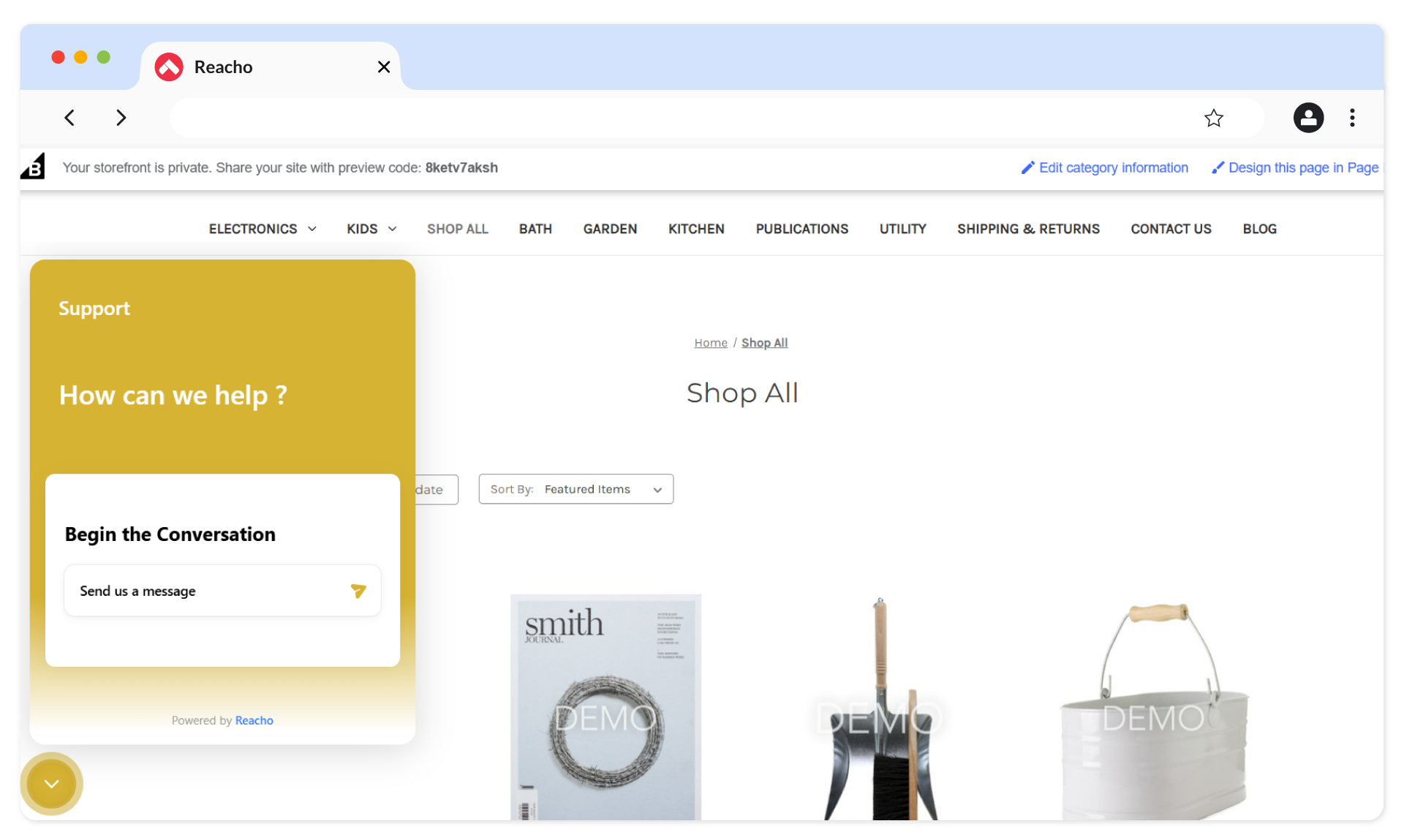
5. The chat widget will now be live on your BigCommerce store.
Syncing Customer Contacts and Order History
Once set up, customer contacts and order history from BigCommerce will sync automatically with Reacho, enhancing order management and customer support capabilities.
Free migration, free setup.
Don’t worry about moving from any other platform. We’ll take care of it for you.